Posts

Showing posts with the label windows

Forgot your windows 10 log in password? Reset it using cmd

Image
It is not in the most cases where the user forgot a computer password. If this happens, you don't have to worry to reinstall windows and loses important data that is on the system drive. I have tested this method and it worked. There are many softwares that ensure to reset password which might work or might not. And maybe asked to purchase the software. There is no need to buy any software. You can find videos for resetting the password on YouTube but it is to read an article and find the steps fast and easy on web site. To reset your password you will need a windows installation CD/DVD or USB flash drive. Not to format but use the command prompt. Following are the setps: 1. Insert the installation media through USB or CD/DVD 2. Once you are on the login screen on windows, hold the shift key and restart your computer. When the dots moving in a circle shown then release the shift key and wait for the advance setting. 3. Once you are in ...

BENEFITS OF F.LUX

Image
While working on laptop or desktop at night you probably have a problem in eyes. The screen has a blue light which is provided to work in daylight. But at night, the blue light does not work great for your eyes. To deal with this problem, a software has been launched the f.lux .  The benefit is that it automatically adjust the screen warmness according to the time. If you click on the graph like a sine wave as shown in the above image it will show you the preview of change in warmness. This software runs in the background. There will be no change in the daytime as there is no need to of warmness. But as the day passes it automatically change the warmness. The question is how the software knows when to change warmness. It takes the information like geolocation of yours and the system time. That's how it knows when the sunset and sunrise will be on your location. To change the location click on the change button. It popup another window as shown below...

TIPS TO MAKE PC SAFE AND FASTER

Image
1. Do not put file or folder on the desktop: Putting file or folder on the desktop which may be important will be in danger. You surely don't want to lose your file in case of system failure. If you do not wish that then keep a copy of that file in other disk drives except the system drive (usually Drive C:). It is better to keep your desktop with only shortcuts. 2. Use antivirus: Virus can affect your files, folders or the entire system which is not a good thing. Some virus just creates a shortcut file of your original file which we can not open or access. These viruses usually come from USB devices which are used in other computers. There are other harmful viruses which come from the internet. In some encrypts the whole data of your system and make you pay them money to decrypt it. In these case, antivirus may not repair the files but it can warn you to not access the website or page. I recommend Quick Heal, McAfee antiviruses which are best to protect your computer or syst...

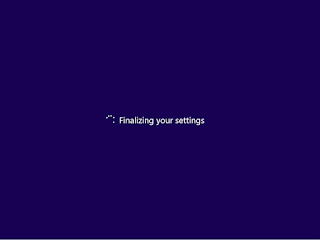
FINALIZING YOUR SETTINGS STUCK IN WINDOWS INSTALLATION

Image
After installation is complete in windows 8.1 or any windows the setup finalize the default setting for your system. In some cases, the process of finalizing your setting may stuck. The reason may be there are background processes that may stop the process to go further or due to any connected devices to the system. You can easily fix the problem by disconnecting the other connected USB devices. After removing the device you should wait for 5 minutes it will work. If this doesn't work try to end the back ground process. To do that press shift+F10 to get the command prompt. ⇒Type tasklist in command prompt, it will show you the current tasks running in background. ⇒Now type tasklist /v to view in details. You will see two or three cmd.exe process one of them will be the Microsoft kb update that is causing the problem. ⇒We need to end the right task to fix the probem. Next to the cmd.exe there will be a four digit number which is the process ID. ⇒type ...

HAVING TROUBLE TO LOAD WINDOW SETUP USING USB- FIX IT

Image
⇒I have encountered this problem a few days ago. I was trying to install windows on PC which has dual bios and gigabyte motherboard. I tried one and a half day to install windows 7. Then I thought that there may be an issue with the ISO file so tried with windows 8 ISO file. But that's also failed to install. ⇒While installing through USB you will see the windows logo but not the loading process in windows 8 setup and on the other hand you will see loading files took too much time in windows 7 setup. After 10-15 minutes you will get the error. ⇒Internet search will show you to download some software and make boot that software and it will fix your problem. But the software won't work.  ⇒The solution is to burn the windows image file to CD-ROM and then install it. It will definitely work. ⇒The following error may be shown on your system. Like my facebook page to get in touch:  https://www.facebook.com/techbloggerhere